MyHeritage: Family Tree & DNA
- 4.4
- Rating
- 10.00M
- Installs
- Free
- Price

 Analysis by App-foxy
Tracing a family history sounds simple until names, dates, photographs, and half-remembered stories begin pulling in different directions. I found MyHeritage: Family Tree & DNA most useful when I treated it less like a casual photo app and more like a workspace for organizing clues. It brings family-tree building, genealogy research, historical records, DNA-related tools, and photo features into one place, which makes it appealing for beginners who do not want to assemble several separate services.
The app is developed by MyHeritage.com and sits in the Books & Reference category. It is free to install, rated for Everyone, and has grown to over 10 million installs. Its average rating is 4.4 from around 254 thousand ratings, so there is clearly a large audience using it for more than a one-off curiosity. I tested it with an accessibility-minded approach: not only whether I could find family information, but whether the layout, pace, visual presentation, and research workflow made sense in everyday situations.
How MyHeritage works when you are building a family story
The natural starting point is a family tree. You enter the relatives you know, connect parents, partners, children, and other relationships, then use those starting points to guide further research. This approach is friendlier than opening a large archive with no idea where to begin. A new user can begin with a few names and gradually turn a vague family story into a structured record.
You May Also Like

 Pandora - Music & Podcasts
Pandora’s Music Is Easy to Start, but Harder to Recover
Pandora’s strength is its low-effort path from a seed to a station. Its weak spot is how much confidence it asks you to place in connection, setup, and quiet recovery.

 AccuWeather: Weather Radar
AccuWeather Review: A Quick, Clear Forecast for Everyday Decisions
For everyday plans, the best forecast is the one you can understand quickly. AccuWeather makes rain timing, radar, and local conditions easy to act on, with a few trade-offs.

 Hill Climb Racing
Why Hill Climb Racing Still Turns Crashes Into One More Run
A tiny car, a bumpy hill and one more upgrade: Hill Climb Racing keeps resurfacing because its simple chaos makes every near-miss feel personal.

 AliExpress - Shopping App
AliExpress Makes Global Shopping Feel Personal, but Shoppers Bear the Risk
AliExpress turns a global marketplace into a pocket-sized discovery engine. Its reach is useful, its shopping loop compelling, and its trade-offs easy to miss.

 Lords Mobile: Kingdom Wars
Lords Mobile Is a Kingdom-Building Routine, Not a Quick Match
A case-by-case verdict on the building, battles, device demands, and social commitments that make Lords Mobile rewarding for some players and exhausting for others.

 PDF Scanner app - TapScanner
TapScanner Makes Paperwork Easier to Capture, Check, and Share
TapScanner makes scanning with a phone feel less like a rescue operation and more like a dependable step in getting work done. Its capture tools are useful, though not flawless.
More From Our News Desk
View All News


What I like is the way the tree gives research a direction. Instead of searching randomly for every person with a familiar surname, I can focus on one uncertain relationship at a time. For example, if I know my grandmother’s name but not her parents’ names, the tree gives me a clear question to investigate. That small change prevents genealogy from becoming an endless collection of disconnected documents.
The app also makes a useful distinction between information I already know and information I still need to verify. I recommend entering only details that I can explain or support, especially when several relatives share the same first and last names. A tidy tree with a few open questions is more valuable than a crowded tree filled with guesses.
Research tools are strongest when I use them as prompts rather than unquestionable answers. A suggested record can point me toward a birth, marriage, residence, or family connection, but I still need to compare names, locations, ages, and relatives. Genealogy apps can make a possible match feel more certain than it really is. MyHeritage helps me discover leads, but the responsibility for checking those leads remains with me.
Readability and navigation for long research sessions
The main family-tree concept is easy to understand, and that matters for people who are new to genealogy. I do not need to learn specialist terminology before adding a relative. The visual structure also gives a quick sense of where I am in the family, which is more approachable than working from a spreadsheet alone.
At the same time, family trees become visually demanding as they grow. More relatives mean more connections, names, and branches competing for attention. I found it easier to work in small sections than to treat the entire tree as one screen. If I am investigating one grandparent, I concentrate on that branch, make a note of what is uncertain, and return later instead of trying to read everything at once.
That is an important readability tip: use the tree for orientation and individual profiles for detail. The broad view answers “how is this person connected to me?” The profile view is better for checking dates, relationships, and supporting material. Trying to do both jobs from a zoomed-out tree can be tiring, particularly on a smaller phone.
Search results and records can also require patience. Historical information is not always presented in the same style, and names may appear with spelling variations or abbreviated details. I get better results when I search with the information I am confident about first, then widen the search gradually. Entering every possible detail at once may feel precise, but one incorrect assumption can hide a useful result.
For users who read slowly or become fatigued by dense screens, the app is best used in short, purposeful tasks. One session might be adding a known relative; another might be checking a single record; a third might be sorting photographs. This is not a weakness unique to this service, but the combination of a growing tree and historical documents can make genealogy more mentally demanding than the cheerful photo features initially suggest.
Motor and sensory considerations in real use
Touch-based family-tree exploration can be convenient, but it is not equally comfortable for everyone. Pinching, dragging, and selecting a particular person among several nearby names require controlled gestures. On a phone, a crowded branch may force repeated zooming and repositioning. I found that working with one branch at a time reduced accidental selections and made the process less frustrating.
People with limited dexterity may prefer slower interactions rather than trying to navigate quickly through a large tree. The app works better when I pause between actions and confirm that I selected the intended relative. That may sound minor, but genealogy mistakes are particularly annoying because an accidental connection can affect later suggestions and make the tree harder to trust.
The visual side deserves similar care. Photos, historical documents, and animated photo features are engaging, but they can also shift the experience from quiet reading to a more visually active one. If bright movement or changing images are uncomfortable, I would use those tools selectively and spend more time with the text-based tree and profiles. The app’s strongest research value does not depend on constantly using its most eye-catching features.
For someone with hearing-related needs, a genealogy workflow is naturally less dependent on audio than many social or entertainment apps. The central tasks involve names, relationships, records, and images. That makes it a more practical choice for users who prefer a primarily visual and written experience, although the comfort of the experience will still depend on the phone’s own display and text settings.
Users with low vision should think about the difference between a small-screen overview and a focused record. I would avoid relying on a full, complicated family tree at once and instead open one person or one branch at a time. The same strategy helps anyone who finds dense visual layouts tiring. A larger tablet screen may make the tree easier to inspect, but the app itself is designed for mobile use, so the phone experience remains the most immediate option.
Situational access: where it fits into everyday life
MyHeritage works well in short moments that would otherwise be wasted. Imagine sitting with an older relative who remembers a maiden name but is unsure of the spelling. I can add the information immediately, attach it to the correct branch, and leave the research question visible for later. That is more useful than trusting myself to remember the detail after the conversation ends.
It is also practical when family members are sharing photographs. Instead of keeping every image in a separate camera folder, I can think about each photograph in relation to a person or family story. The photo tools make the app feel more personal, but I still prefer to identify people and dates carefully before treating an image as historical evidence.
Travel and unstable attention are situations where I would be more cautious. Genealogy research often involves reading, comparing, and making judgments, so a noisy café, a moving vehicle, or a rushed lunch break is not ideal for serious verification. Those settings are fine for adding a remembered name or saving a question. They are poor places to decide that two people in an old record are definitely the same person.
The free entry point also affects situational access. I can begin without paying, which lowers the barrier for someone who is simply curious about family history. However, in-app purchases range from $0.99 to $699.99 per item, so I would not assume that every discovery path or advanced research option will remain part of a free workflow. Before committing to a long project, I would check what a particular record, feature, or plan requires and discuss spending with anyone else involved in the family project.
That pricing range is especially relevant for shared family use. One person may be happy with a basic tree and photo organization, while another may want deeper research or DNA-related exploration. Those are different levels of commitment. I would start with the free tools, agree on a research goal, and only then decide whether a paid purchase is worthwhile. This avoids turning an enjoyable family project into an open-ended subscription or purchase decision.
Photo features are memorable, but they need careful handling
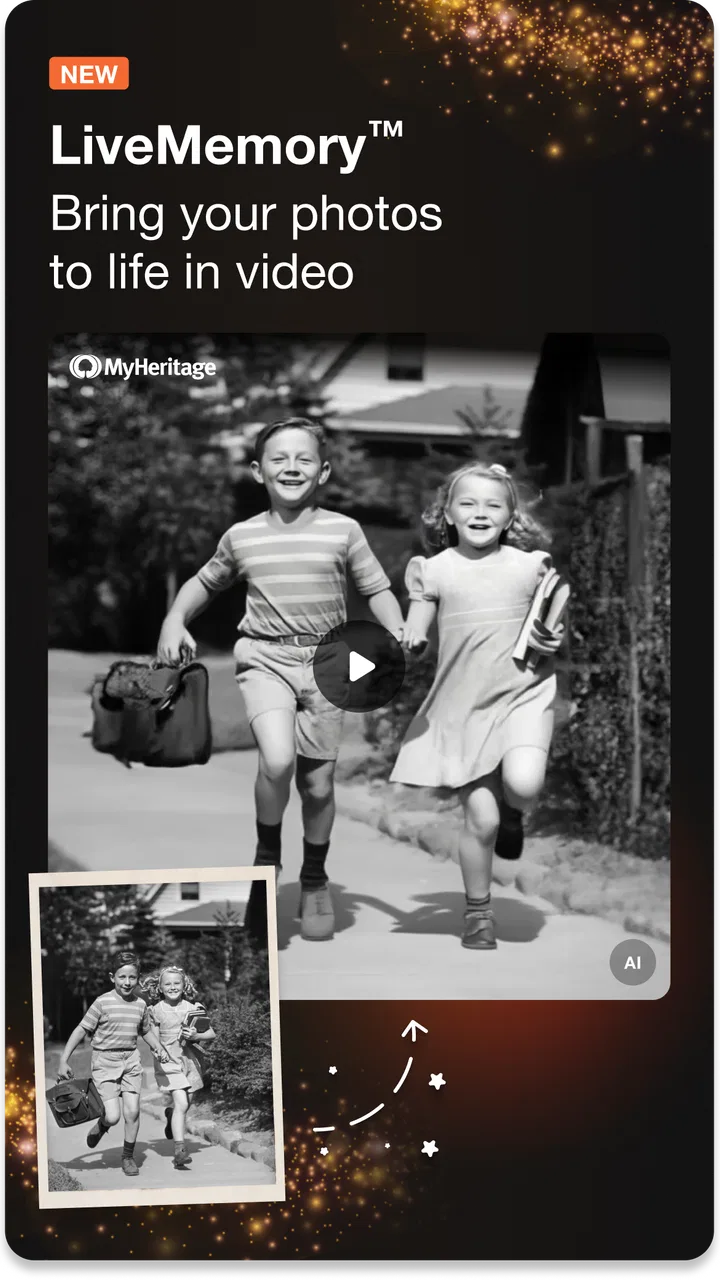
The app’s photo features are a strong way to bring relatives into the conversation. A family member who is not interested in searching records may still enjoy seeing an old photograph treated as part of a larger family story. Bringing a face or image into a more lively presentation can create an emotional connection that a plain list of names does not.
My advice is to separate emotional enjoyment from historical certainty. A photo can help identify a person, suggest a time period, or prompt a relative’s memory, but it does not automatically prove a relationship or date. I use these features to start conversations, then record the result as a question or a detail to verify. That workflow protects the family tree from slowly filling with attractive but unsupported assumptions.
There is also a privacy and sensitivity dimension to family photos and DNA-related subjects. Even when an app makes sharing easy, not every relative will want their image, name, or genetic information handled in the same way. I would ask before adding living relatives or circulating discoveries, particularly when the information could reveal an unexpected relationship. The app can support family research, but respectful communication matters just as much as the interface.
Where the experience still creates barriers
The biggest barrier is complexity that arrives gradually. The first few relatives are simple; a mature tree is not. Once duplicate names, uncertain dates, remarriages, migrations, and conflicting records appear, the app becomes a serious research tool rather than a casual family album. Beginners may need to develop their own system for notes, source checking, and unresolved questions.
Another limitation is that the mobile format encourages quick decisions. A suggested match can look convincing when viewed on a small screen, especially if I am tired or eager to make progress. I would rather leave a relationship unresolved than connect the wrong people. The app helps organize evidence, but it cannot replace judgment, family interviews, or careful comparison of original records.
The visual tree can also become a barrier for users who prefer linear information. Some people will understand a family better from a chronological list, written biography, or spreadsheet than from branches spreading across a screen. MyHeritage is a good fit if relationships are the main way I think about history. It is less comfortable if I want a highly controlled research database with every field visible at once.
Users who want a completely free experience should also approach it with realistic expectations. The app costs nothing to install, but the presence of in-app purchases means that deeper exploration may involve decisions about spending. I appreciate being able to start small, yet I would avoid entering payment details impulsively after an exciting discovery. A compelling record is still worth evaluating before buying access to it.
The app is available for devices running Android 8.0 or later, and the current version is 7.5.36. That makes checking device compatibility an important first step for anyone using an older phone or tablet. For people relying on an aging device because newer hardware is difficult to afford or operate, compatibility can be a practical barrier even when the app itself is appealing.
Who should use it, and who may prefer another approach?
I recommend it to beginners who want a guided way to start a family tree, relatives who want to combine photographs with genealogy, and families that enjoy researching together over time. It is particularly useful when the main challenge is organization: keeping names, relationships, discoveries, and visual memories connected instead of scattered across notebooks and photo folders.
I would be more cautious recommending it to someone who only wants a simple archive of scanned documents. A dedicated cloud folder or document-management tool may feel calmer and more direct for that purpose. Likewise, a researcher who needs a highly specialized academic workflow may prefer a desktop genealogy program with extensive manual control. The mobile app is strongest as an accessible starting point and an ongoing family reference, not necessarily as the only tool for every advanced research habit.
People who are uncomfortable with touch gestures, dense family diagrams, or changing visual content should try a small project first. Add a few relatives, inspect one profile, and see whether the navigation feels manageable. That trial is more informative than judging the app from its photo features alone. If the basic tree already feels tiring, a simpler written system may be kinder to use.
On the other hand, users who have struggled to get relatives interested in genealogy may find the photo and storytelling side helpful. It gives the project more entry points: one person can focus on records, another on photographs, and another on memories. The trade-off is that a shared project needs clear agreement about accuracy, privacy, and spending.
An inclusive verdict after using it as a research companion
MyHeritage: Family Tree & DNA succeeds because it makes family history feel tangible. I can begin with a name, connect it to a relationship, investigate a lead, and bring a photograph into the same broader story. The app is approachable enough for a first attempt, yet deep enough to support a project that grows over time.
Its inclusive value comes from flexibility rather than from pretending that every screen will suit every person. Written genealogy tasks are relatively approachable for users who prefer visual and text-based interaction, while the expanding tree, touch gestures, and busy research screens can challenge people with limited dexterity, low vision, attention fatigue, or a preference for linear information. I would use focused branches, short sessions, and deliberate verification to reduce that friction.
The most important habit is to treat the app as a research assistant, not an authority. Record what you know, label what you suspect, and check a suggested connection before allowing it to shape the rest of the tree. For photos and DNA-related discoveries, add an extra layer of consent and sensitivity because family history can affect living people as well as the person doing the research.
My final recommendation is to start free, keep the first family branch small, and judge the workflow before paying for deeper exploration. If you want a friendly mobile home for family connections, historical clues, and meaningful photographs, this is a strong choice. If you need a distraction-free archive, advanced desktop control, or a strictly linear research system, another tool may suit you better. For most curious families, though, it offers a thoughtful bridge between casual memories and organized genealogy.
FAQs for MyHeritage: Family Tree & DNA
01What is MyHeritage: Family Tree & DNA and how does it work?
MyHeritage is a comprehensive app designed to help users trace their family history and discover their ancestry through a combination of family tree building and DNA testing. Users can create detailed family trees, access billions of historical records, and connect with relatives. The app also offers DNA testing to reveal ethnic origins and connect with DNA matches worldwide.
02Is MyHeritage: Family Tree & DNA free to use?
MyHeritage offers a free version that allows users to build a basic family tree and access limited historical records. However, to unlock advanced features, such as extended historical records, DNA testing, and detailed ancestry reports, users may need to purchase a subscription or a DNA kit, which are available at various pricing tiers.
03How accurate is the DNA testing provided by MyHeritage?
The DNA testing provided by MyHeritage is highly accurate, using advanced technology to analyze genetic data. Results are typically reliable for identifying ethnic origins and connecting with relatives. However, it's important to note that DNA testing can have limitations and should be used in conjunction with historical records for the most comprehensive understanding of ancestry.
04What privacy measures does MyHeritage have in place for user data?
MyHeritage prioritizes user privacy and implements robust security measures to protect personal and genetic data. Users have control over their information, with options to adjust privacy settings according to their preferences. The app follows strict privacy protocols and does not share data without explicit consent, ensuring a secure experience.
05Can MyHeritage help me connect with living relatives?
Yes, MyHeritage can help you connect with living relatives. Through its DNA matching feature, users can find and connect with relatives who have shared DNA. Additionally, the app's extensive family tree network allows users to discover and reach out to distant family members across the globe, facilitating meaningful connections.
Pros
- User-friendly interface for all ages.
- Comprehensive family tree features.
- Rich historical records access.
- Detailed DNA matching insights.
- Regular updates and enhancements.
Cons
- Subscription required for full features.
- DNA kit purchase is separate.
- Limited offline access options.
- Some records need manual verification.
- Occasional app performance issues.

MyHeritage: Family Tree & DNA
Gallery